
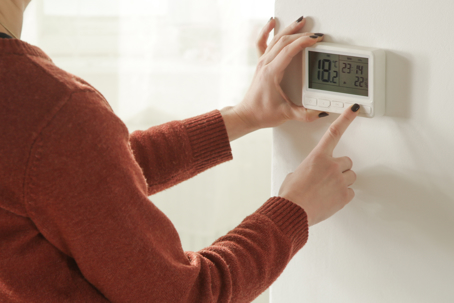
When the crisp autumn breeze rolls through Northern San Antonio, the last thing you want to deal with is a chilly home and a thermostat that refuses to kick on. Whether you live in a historic home or a newer build in Boerne, Timberwood Park, or Fair Oaks Ranch, a sudden drop in indoor temperature can leave you feeling frustrated. Before you panic and search for emergency heating service in San Antonio, TX, there are several simple troubleshooting steps you can try yourself. In many cases, a non-responsive thermostat stems from a quick fix like a dead battery, a tripped circuit breaker, or incorrect settings.
Simple Troubleshooting Steps to Restore Your Warmth
Before assuming you need a complete system overhaul, walk through these basic checks to narrow down the cause of your heating issues.
Check the Batteries and Power Source
Many modern thermostats rely on batteries to power their digital displays and send signals to your furnace or heat pump. If your display is completely blank or flickering, start by popping off the cover and replacing the batteries with fresh ones. If your thermostat is hardwired into your home’s electrical system, head to your breaker panel and check if the switch dedicated to your HVAC unit has tripped.
Verify Your Thermostat Settings and Temperature Set Point
It sounds simple, but double-check that your unit is actively set to "Heat" rather than "Cool" or "Off." Next, adjust the setpoint temperature to at least 5 degrees above the current room temperature. If your unit is on a custom programmable schedule, someone in your household may have accidentally changed the target temperature or set a permanent override.
Clear Out Dust, Dirt, and Debris
Over time, dust, pet hair, and airborne particles can build up inside the thermostat casing. This accumulation acts as insulation around the internal temperature sensor, preventing it from accurately reading room conditions or triggering the heating cycle. Carefully remove the faceplate and use a soft brush or a gentle blast of compressed air to clean away any visible dirt.
Inspect the Wiring and Safety Switches
If you feel comfortable doing so, remove the front panel to look at the wiring behind your thermostat. Ensure all wires are firmly attached to their corresponding terminal letters. Additionally, many local furnaces feature a safety switch on the blower door; if that door is loose or a drain pan is full, the system cuts power to the thermostat to prevent property damage.
When to Call the Heating Professionals
If you have tried changing the batteries, checking the breaker, and adjusting the settings without success, the issue may lie deeper within your HVAC system’s wiring, control board, or furnace components. Trying to force a malfunctioning unit to run can lead to higher repair bills or safety hazards. When basic troubleshooting falls short, calling an experienced, family-owned team ensures your system gets diagnosed quickly and accurately.
For fast, reliable assistance with all your home comfort needs, contact Westerly Air today at (210) 361-2722.